hoveid
December 8, 2025, 7:16am
1
How can foreign letters be applied in GAMS Studio?
My programs from classic GAMS have lots of “æ”, “ø” and “å”, but Studio replaces them all with “�”. Can this be avoided?
A previous post recommends choosing a different default encoding. The UTF8 is the general recommendation for my case. The outcome is “�”, however.
Kind regards
Øyvind
Lutz
December 8, 2025, 7:48am
2
Hi,
I tried to mimic this and started like this in the IDE:
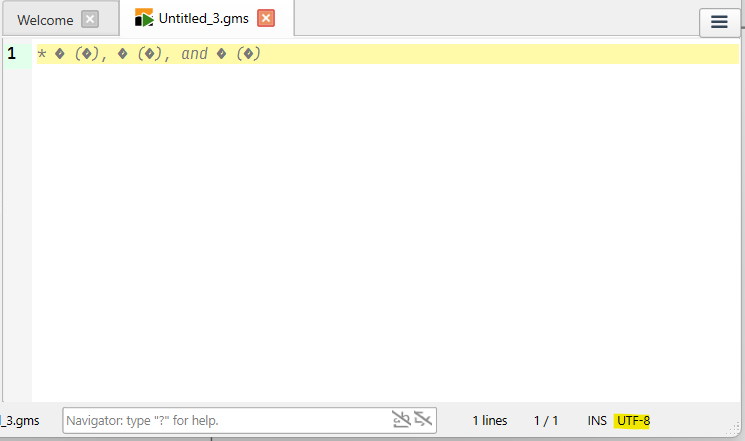
Loading that file in Studio leads to this:
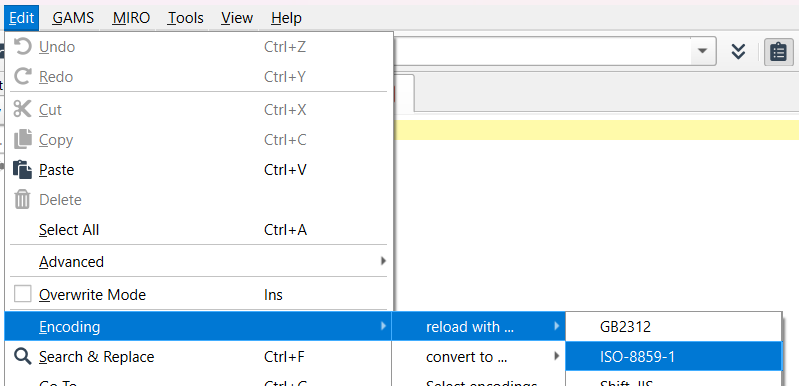
Note the default encoding (UTF-8) in the lower right corner. Since this is different from the IDE encoding (ISO 8859-1) not all characters are shown as desired. So, you can reload in the IDE encoding:
–>
This did not change anything in the file, it just changes the way, how Studio shows it.
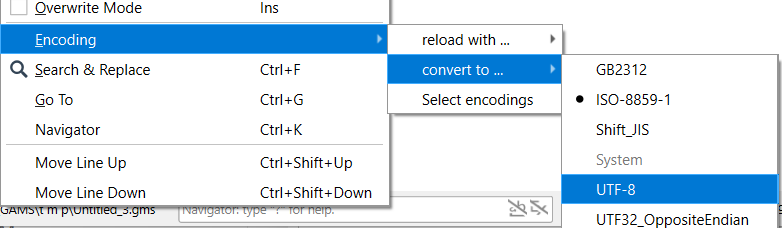
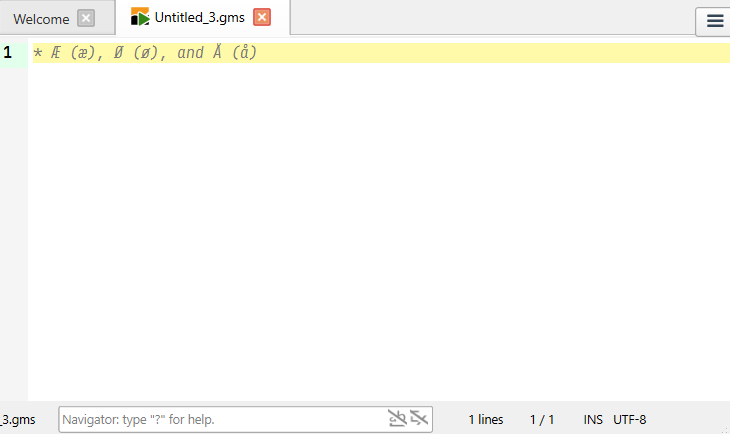
Finally, you could convert it to UTF-8 (which really changes the file):
–>
I hope that helps,
Lutz
hoveid
April 16, 2026, 11:37am
3
Thanks, Lutz.
A slightly simpler workaround (found by trial and error) is to set ISO-8859-1 as the default encoding.
Øyvind